
With Backbone, you can synchronize custom Date and Date Time fields in a number of different configurations.
-
Date field
-
to Date field: the date information will be synced to a date field.
-
to Date Time field: the date information will be synced to a date and time field – the time will be set as 12:00 AM (00:00).
-
to Text field: the date information will be synced to a text field in a specified format.
-
-
Date Time field
-
to Date Time field: the date and time information will be synced to a Date Time field.
-
to Date field: the date information will be synced into a date field, and the time information will be removed.
-
to Text field: the date and time information will be synced into a text field in a specified format.
-
Date and Date Time to Text field mappings
The Date and Date Time formats can be defined in the Date format box on the Create Field Mapping screen:
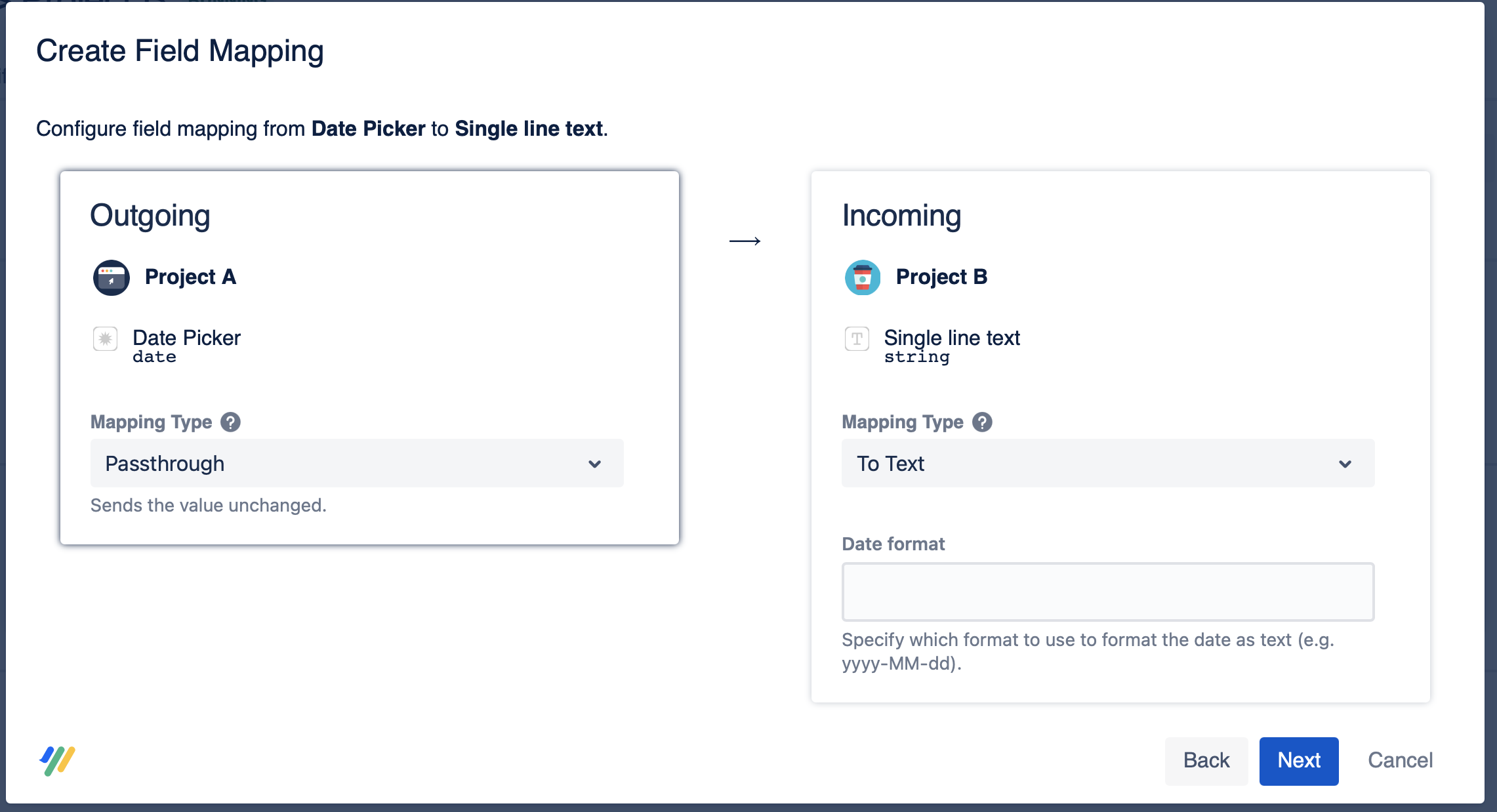
Examples of some possible date/time formats (these are just examples, the format can be modified in many ways):
|
Pattern |
Output |
|---|---|
|
EEE dd-MMMM-yyyy |
Mon 19-December-2016 |
|
yy-MMMM-dd hh:mm:ss |
16-December-19 12:00:00 |
|
yy-MM-dd'T'hh:mm:ss |
16-12-19'T'12:33:45 |
|
yy-MM-dd hh:mm:ss |
16-12-19 12:33:45 |
|
yy-MM-EEE'T'hh:mm:ss |
16-12-Mon'T'12:33:45 |
|
yy-MM-EEE hh:mm:ss |
16-12-Mon 12:33:45 |
It's also possible to replace : and - and T with other symbols/strings, for example:
|
Pattern |
Output |
|---|---|
|
yyyy.MMMM.dd 'Time:' hh:mm:ss |
2016.December.19 Time: 12:00:00 |