
The Document Settings is where you manage core settings for your document, such as metadata (e.g. title, summary and labels), Workflows, Context Keys, Variants, and Translations.
To access the Document Settings:
-
Navigate to the Document Manager and click Settings.
What You Can Do in the Document Settings
In the Document Settings, you can manage the core settings for your document:
General settings
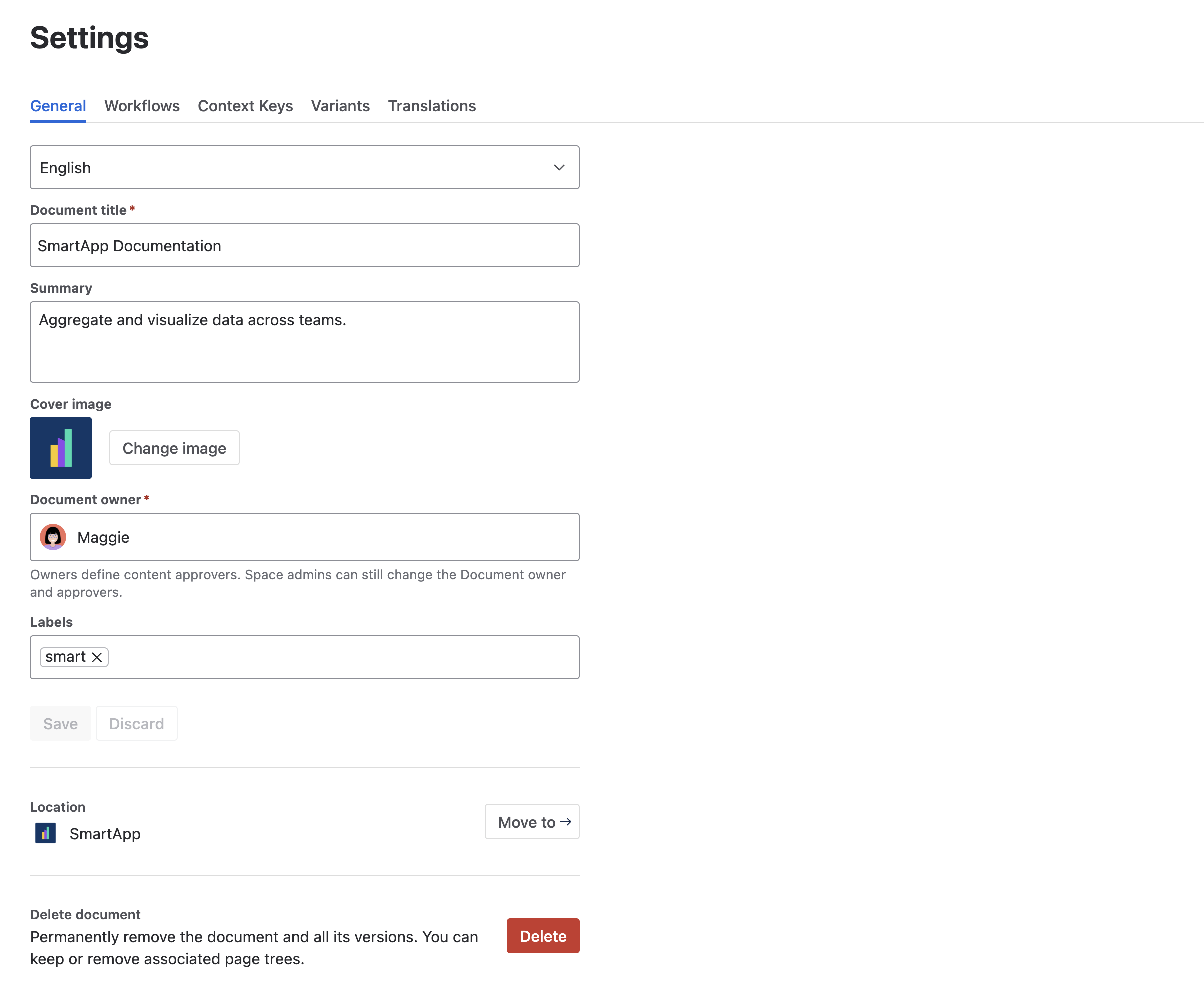
Access General settings and key actions within your document, including:
-
Changing the document title.
-
Updating the document summary.
-
Changing the cover image.
-
Adding and removing labels.
-
Set a document owner.
-
Change language to translate document details.
Workflows
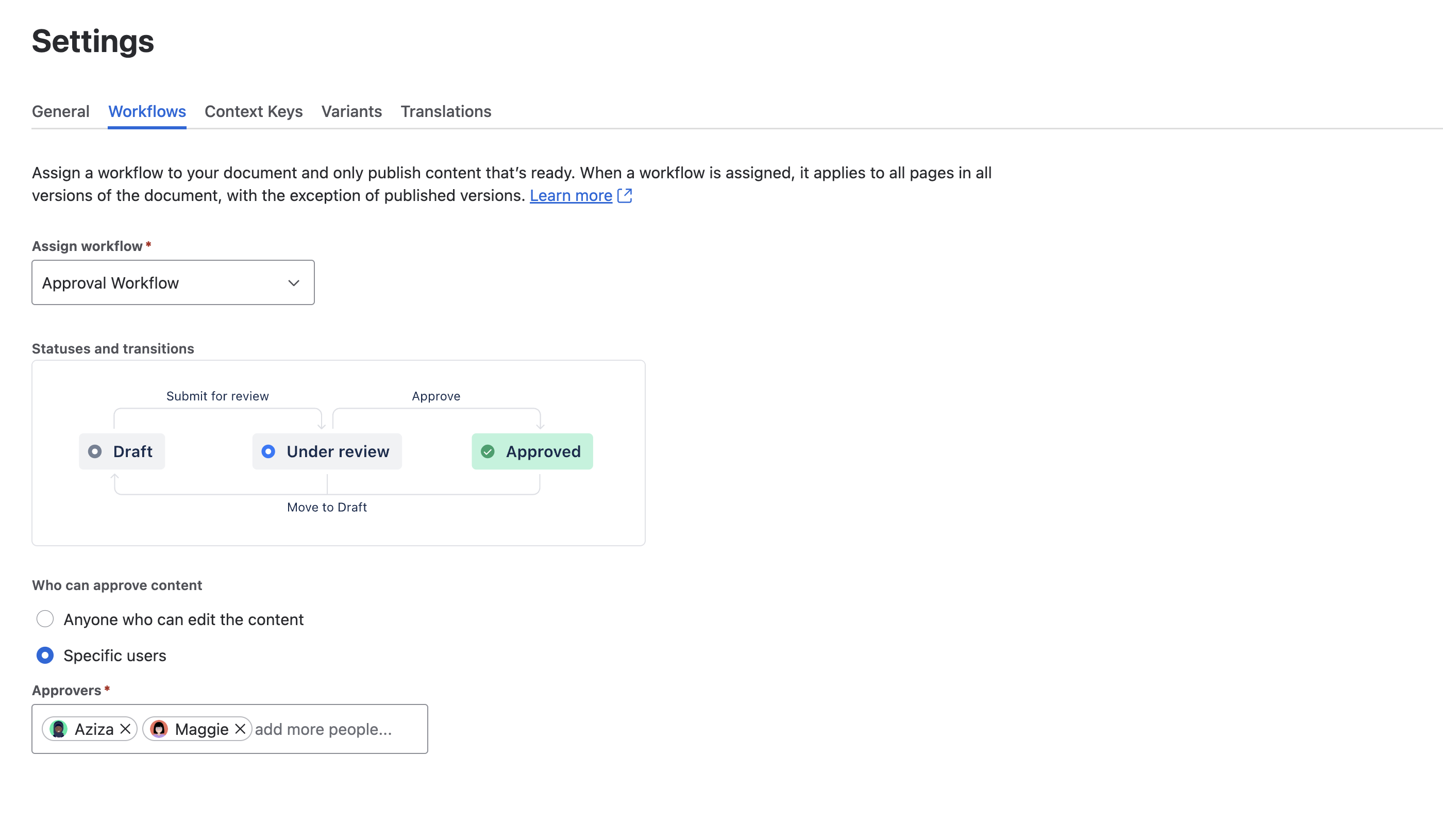
You can manage page-level workflows for your document under the Workflow settings by enabling, disabling, or switching a workflow. You can also decide who can change the statuses of your pages.
To learn more, see:
Context Keys
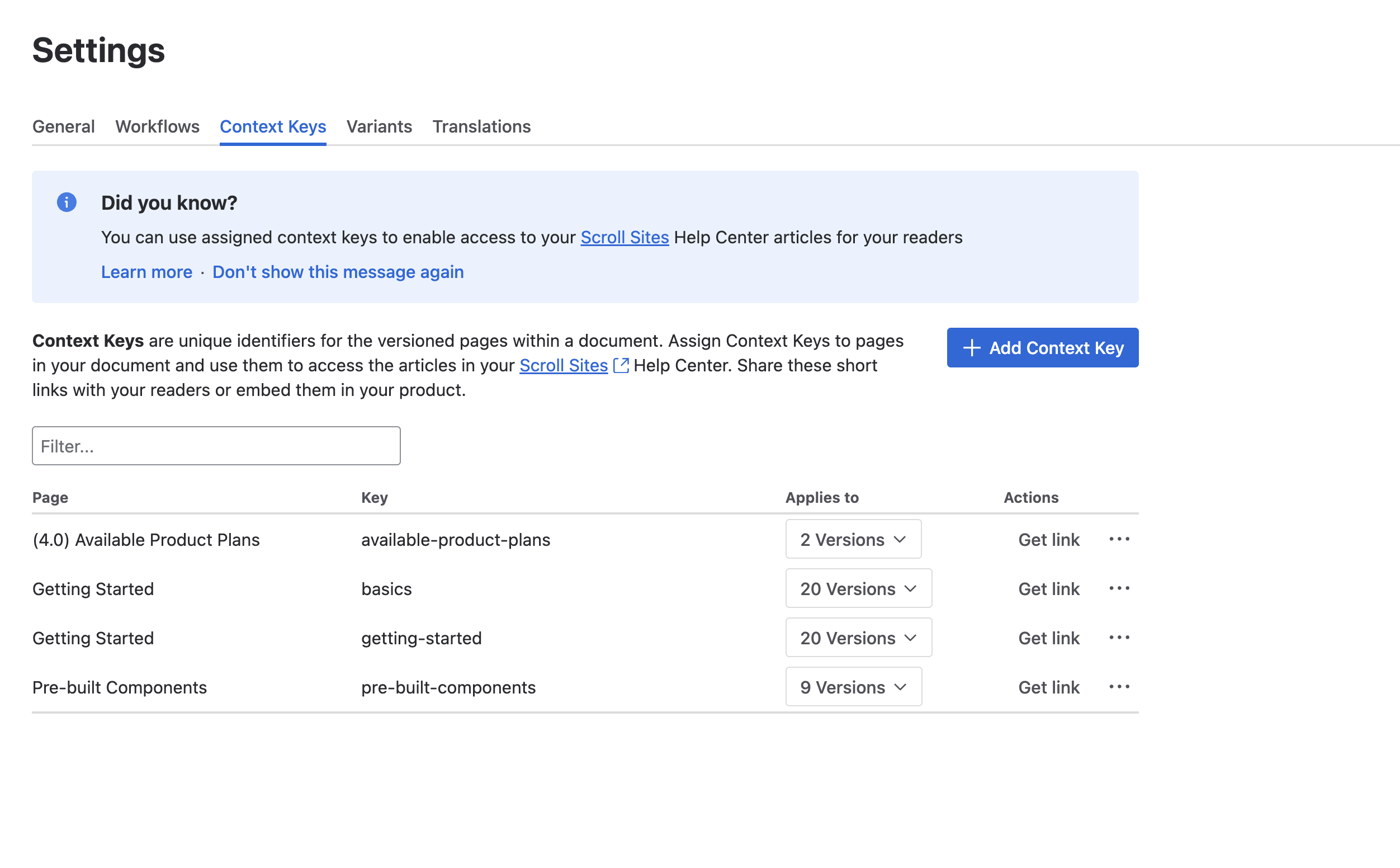
You can manage Context Keys in the Context Keys settings to generate stable links for pages published to Scroll Viewport or with Scroll HTML Exporter.
Within these settings, you can:
-
Create or delete Context Keys.
-
Assign existing Context Keys to new pages.
-
Generate Context Key links.
For more information, see: Assign Context Keys
Variants
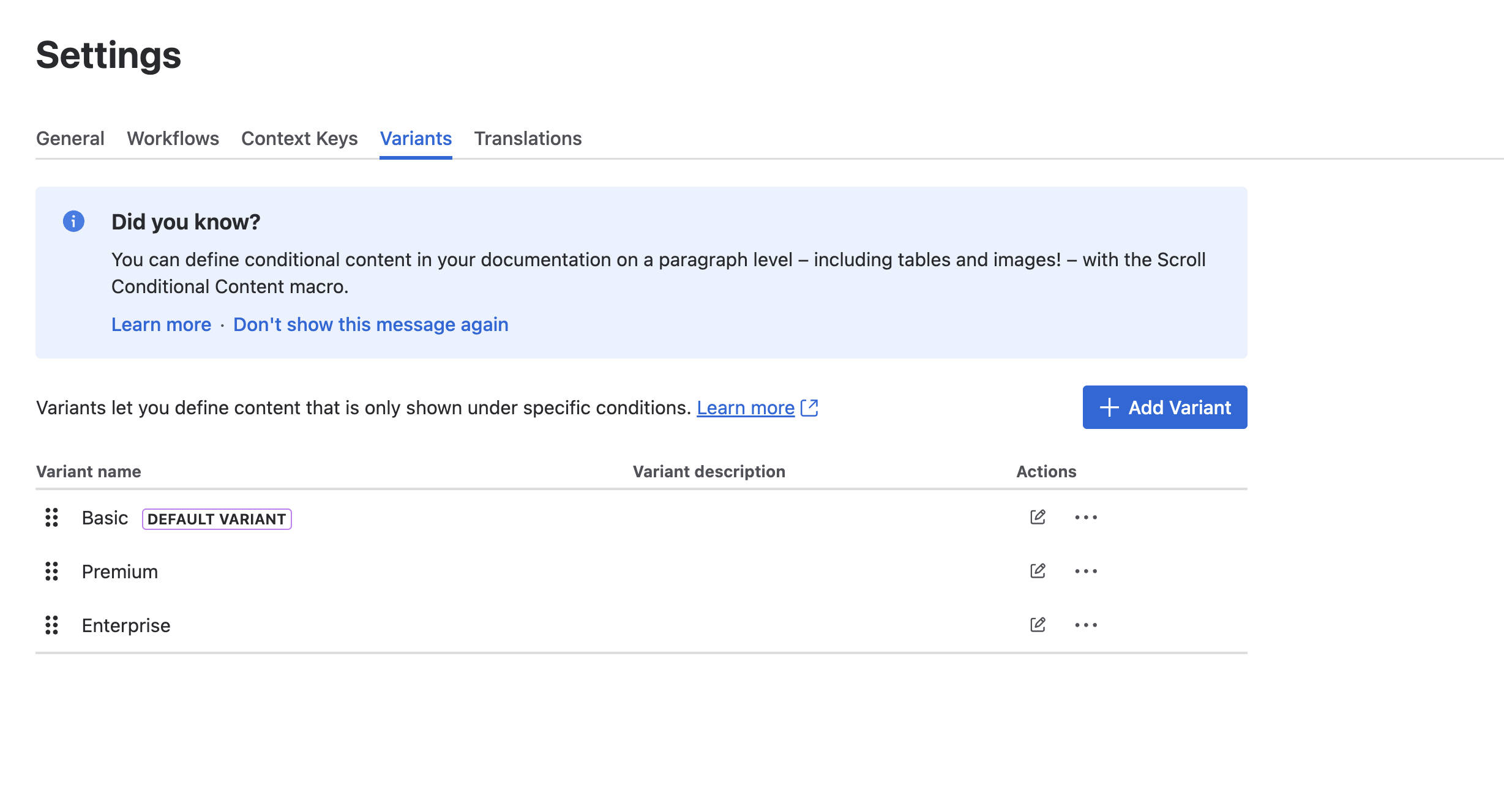
You can manage Variants in the Variants settings to define content that is only published or exported under certain conditions.
Within these settings, you can:
-
Create or delete variants.
-
Duplicate a variant.
-
Edit the scope of an existing variant.
For more information, see: Define and Edit Variants
Translations
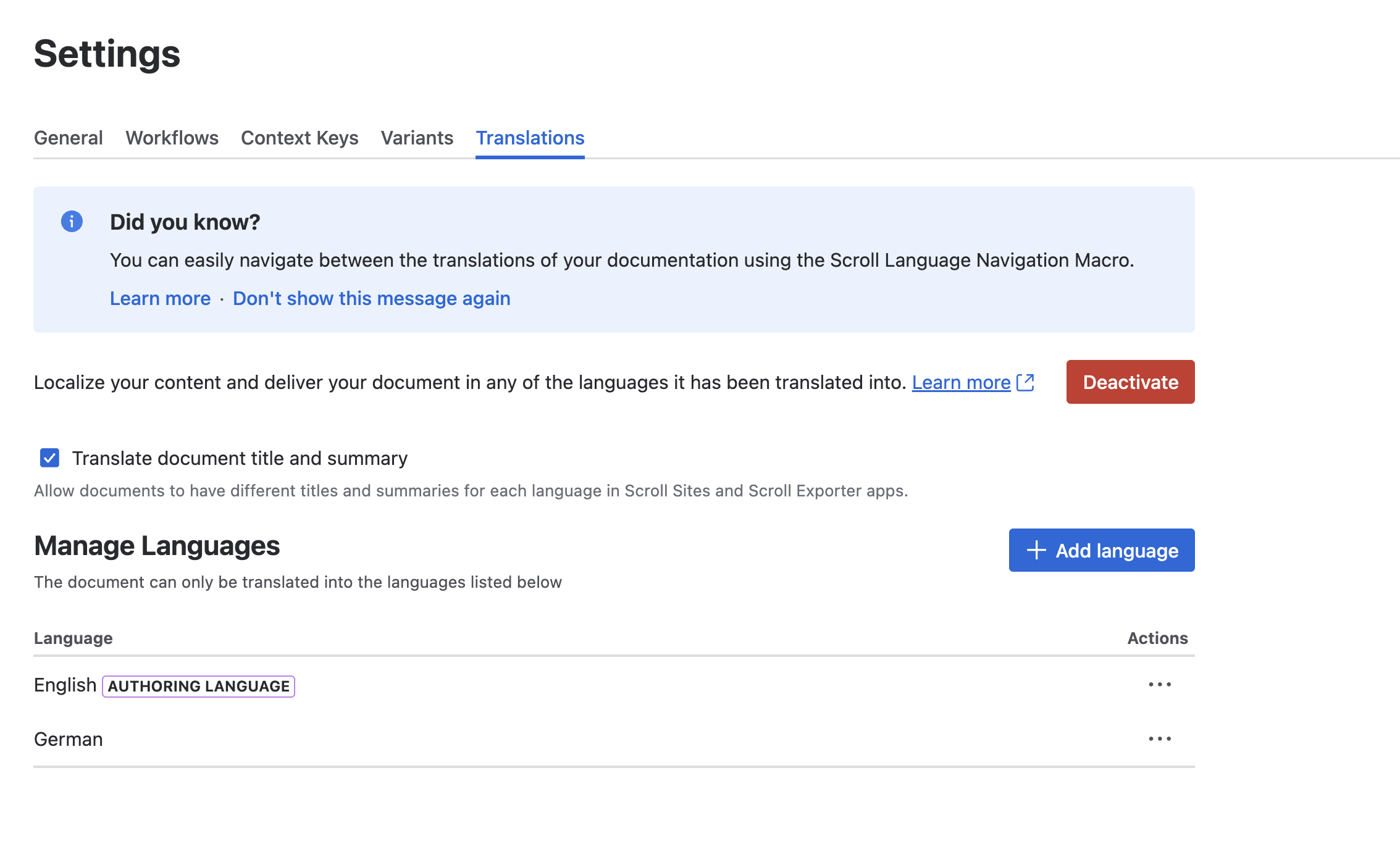
You can manage translations of your content in the Translations settings. This is useful if you have an international audience you need to create translated content for.
Within the Translations settings, you can:
-
Add languages.
-
Delete languages.
-
Deactivate translations.
-
Enable option to translate the document details.
For more information, see: Define and Delete Languages