
Documents can be configured to be used only in selected spaces by Confluence administrators. This allows admins to control the usage of the app to prevent unaware users from creating documents by accident.
To change these settings, navigate to:
-
General configuration
-
Locate “Scroll Content Manager:
-
Select Settings.
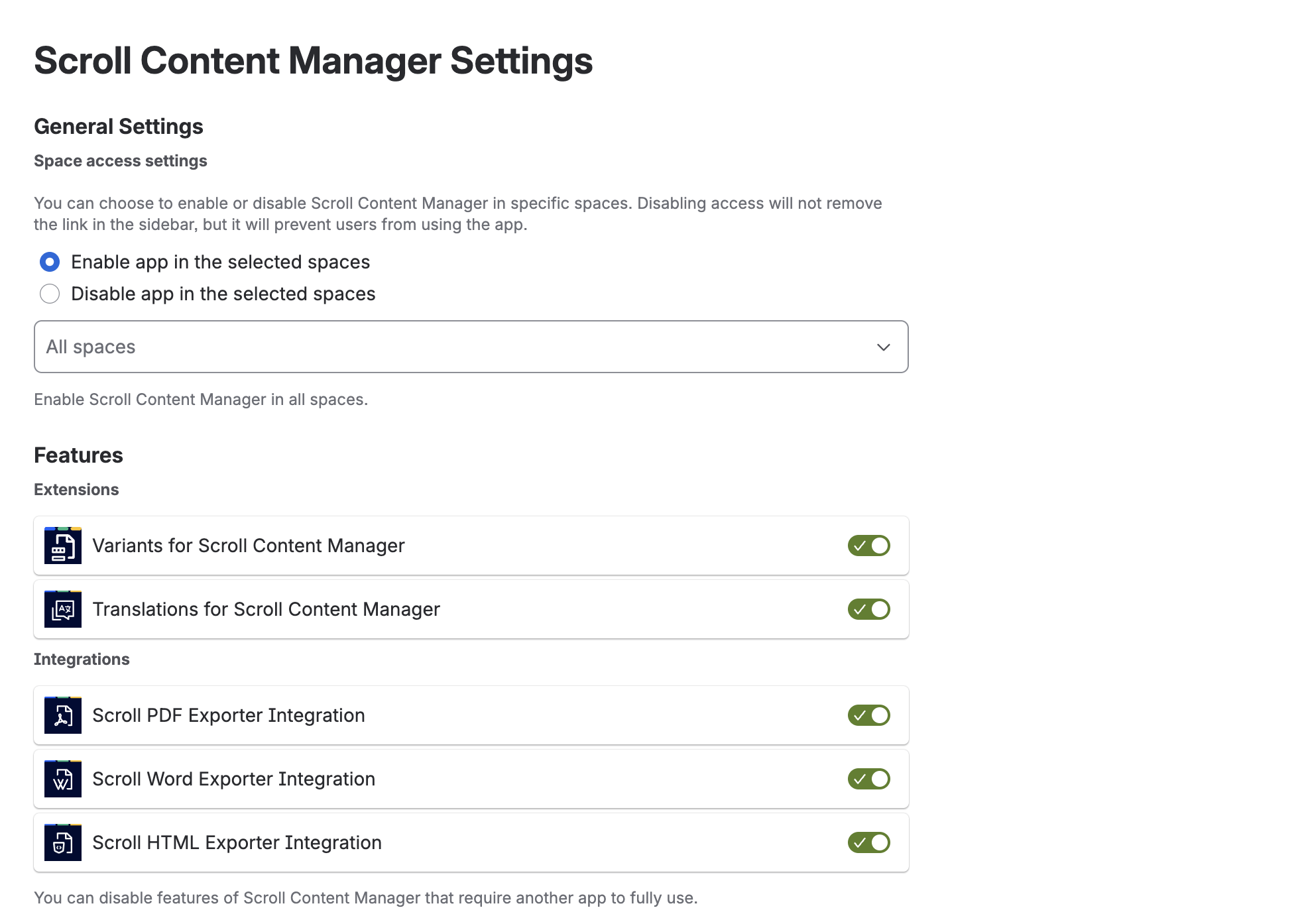
Enable or Disable Document Creation in Spaces
The space access settings can act as either an allow list or a deny list. Choose one of the following options:
-
Enable app in the selected spaces: Scroll Content Manager can be used to create documents only in the spaces selected in the space picker below. All other spaces won't have access to the app.
-
Disable app in the selected spaces: Scroll Content Manager cannot be used to create documents in the spaces selected in the space picker below. All other spaces will have access to the app.
Keep in mind that even if you disable Scroll Content Manager for a space, some Scroll Content Manager specific user interface, such as the Document toolbox, will still appear in the space. However, users will not be able to use any of the app's functionalities within the defined space.