
Scroll Content Manager enables you to preserve versions of Confluence pages, including those with included pages or excerpts.
When you save a version and select the Resolve Include Page, Insert Excerpt and MultiExcerpt Include macros option, macros referencing content outside the document are resolved, making their content a permanent part of the page. This ensures that updates to the source content affect only the Working version of the document.
Moreover, you can utilize Scroll Content Manager to version the macros:
-
and MultiExcerpt Include (from the third-party app MultiExcerpt by Appfire).
Avoid including pages with page layouts in your document. When content from an external page is included, layouts are removed if the resolve option is enabled, which can cause content to shift around.
How to Make Included Content Static in a Version
To resolve the Include Page, Excerpt Include and MultiExcerpt macros while saving a version, use the following steps:
-
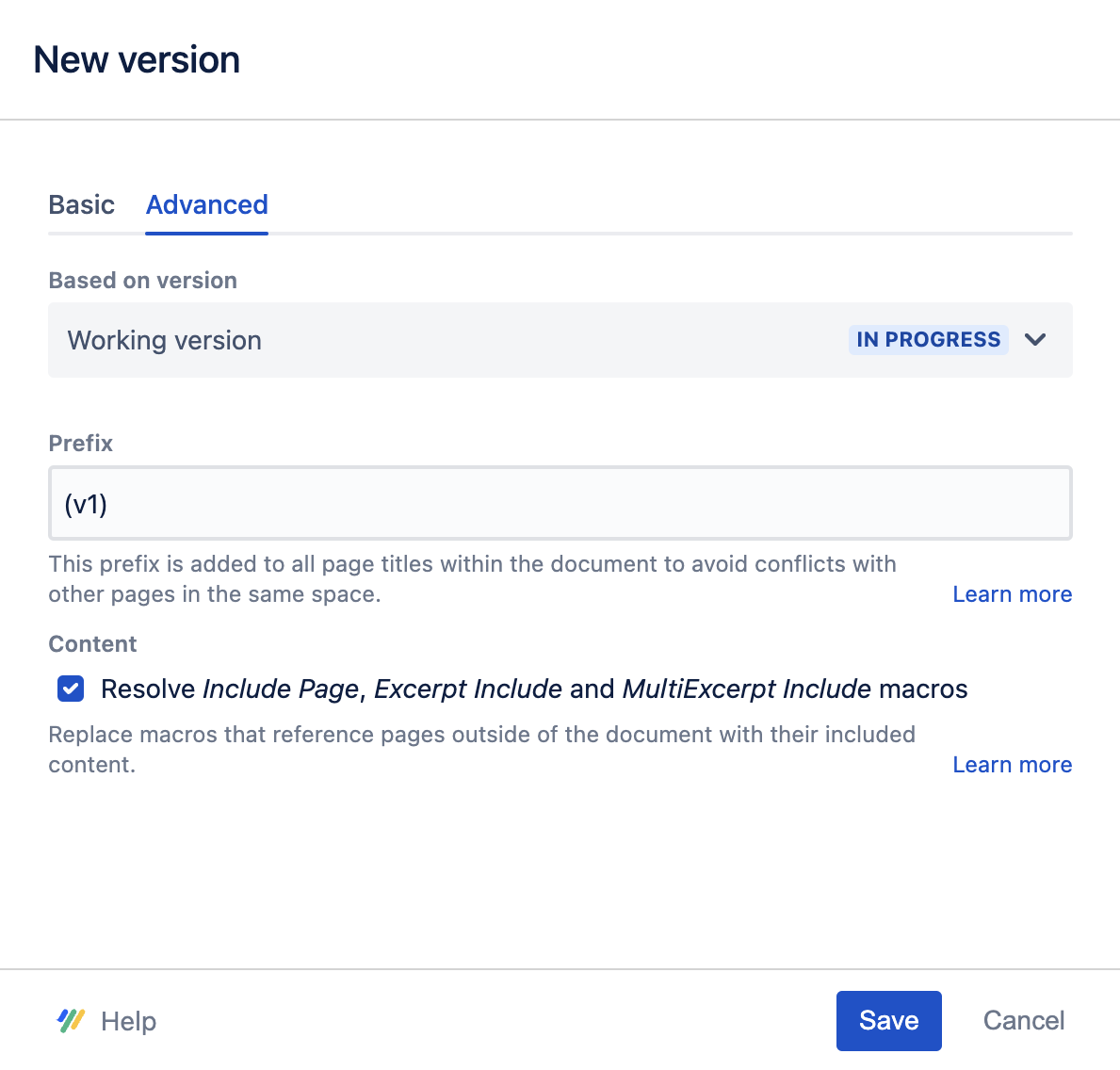
While saving a version, on the New version dialog, click on the Advanced tab.
-
Ensure Resolve Include Page, Excerpt Include and MultiExcerpt Include macros is selected.
-
Click Save.