
Backbone is able to evaluate basic conditional logic in order to adjust the comments that are being published on the remote work item. This makes it possible to add and remove specific information based on the content and circumstances of the synced comment, for example:
-
Who wrote the comment?
-
Is the comment author part of list of users?
-
Does the comment include any specific words or phrases?
-
Was the comment written as an internal note or public comment?
As the comment enrichment format follows the syntax of Apache Velocity, you may also make use of their user guide in order to create enrichment formats with complex conditions: https://velocity.apache.org/engine/1.7/user-guide.html
Below is a couple of example snippets which you may copy into the comment sync’s enrichment format:
Scenarios
Condition based on comment visibility
_commented by ${comment.author} - ${comment.addTime}_
#if( ${comment.visibility} == "public" )
this is a public comment
#else
this is an internal note
#end
${comment.content}
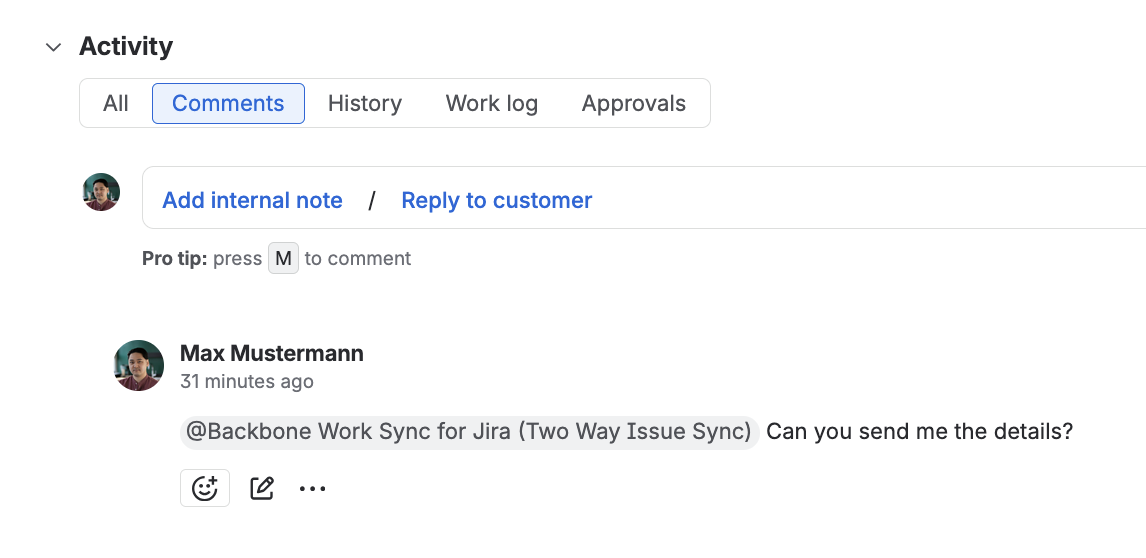
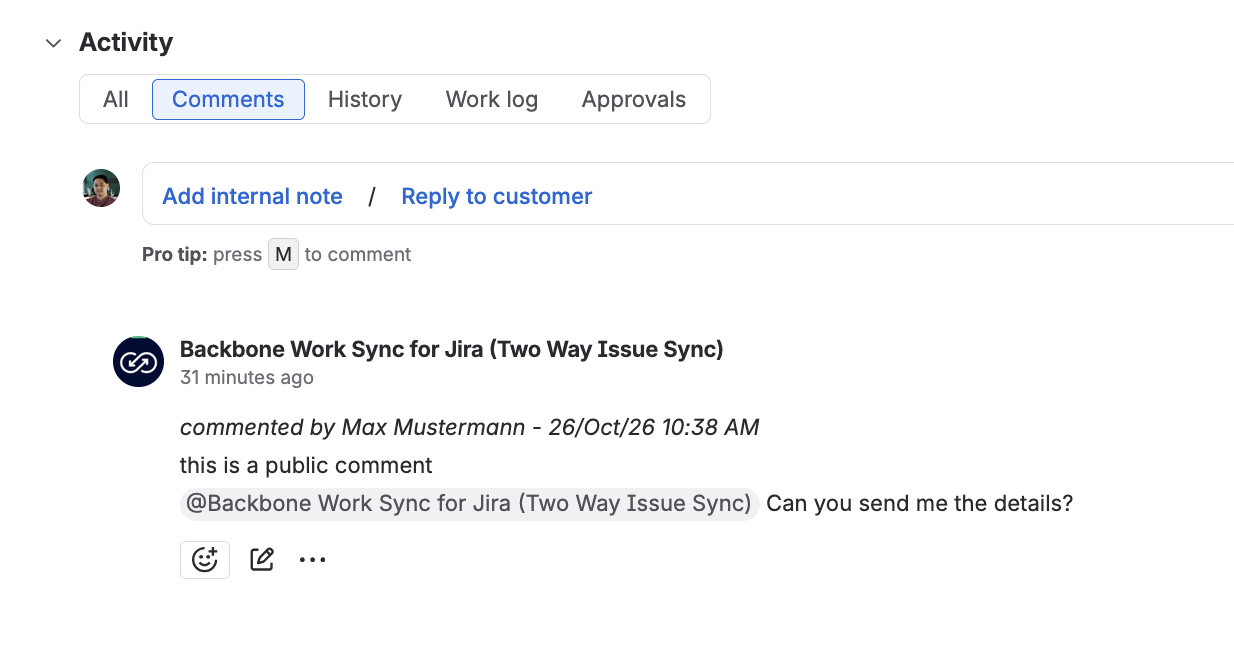
The first line of the synced comment will display the name of the original comment author and the date of the comment.
On the following line, it will display “this is a public comment” or “this is an internal note” according to whether the comment was posted as an internal note or public comment.
Afterwards it will display the actual comment in a new line below as indicated by the ${comment.content} part.
|
Original public comment |
Synced comment |
|
|
Condition based on if comment author mail is inside specific list
#if( ["agent1@mail.com", "agent2@mail.com"].contains( ${comment.authorEmail} ) )
_commented by a Service Agent - ${comment.addTime}_
#else
_commented by a normal user - ${comment.addTime}_
#end
${comment.content}
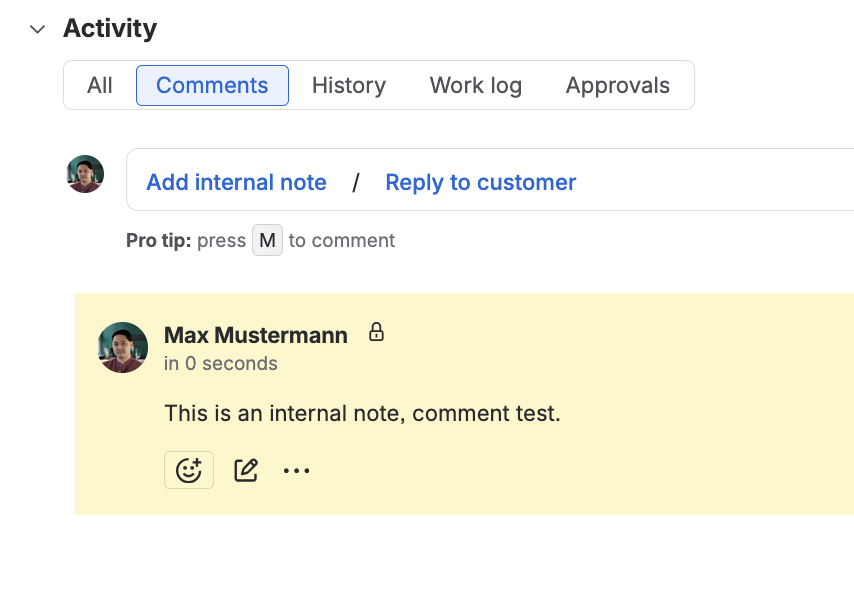
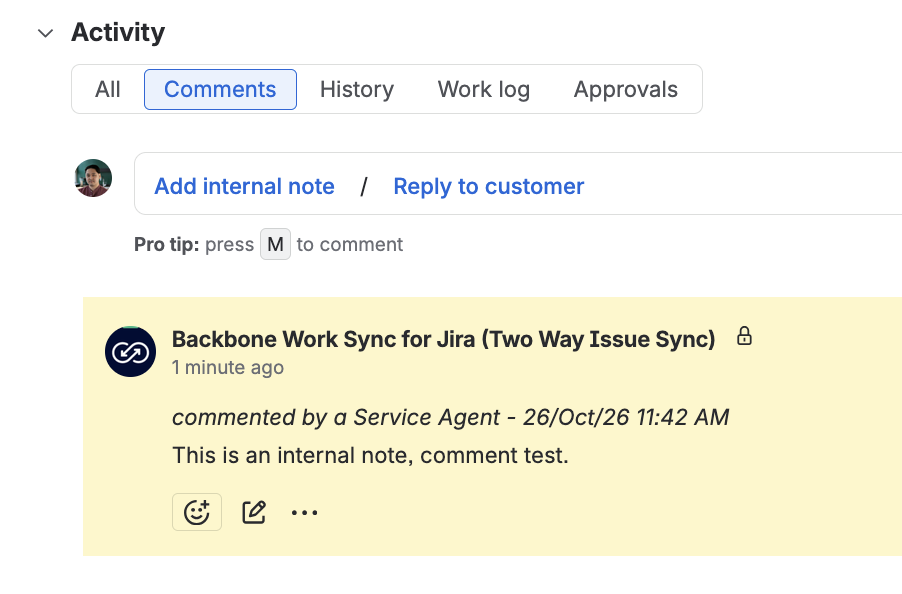
The first line of the synced comment will display the name of the original comment author and the date of the comment.
On the following line and based on whether the email of the comment author is inside a specific list, the synced comment will display either “Service Agent“ or “normal user”.
Afterwards it will display the actual comment in a new line below as indicated by the ${comment.content} part.
You may copy the snippet above and replace the emails with the emails of users of your choice.
|
Original comment, written by a user within the list |
Synced comment |
|
|