
Once Scroll Documents is active in your Confluence instance, within your spaces you will see new entry points to Scroll Documents' functionality.
These entry points take you to the following contexts:
-
Document Library
-
Document toolbox
-
Document Manager
-
Scroll page details
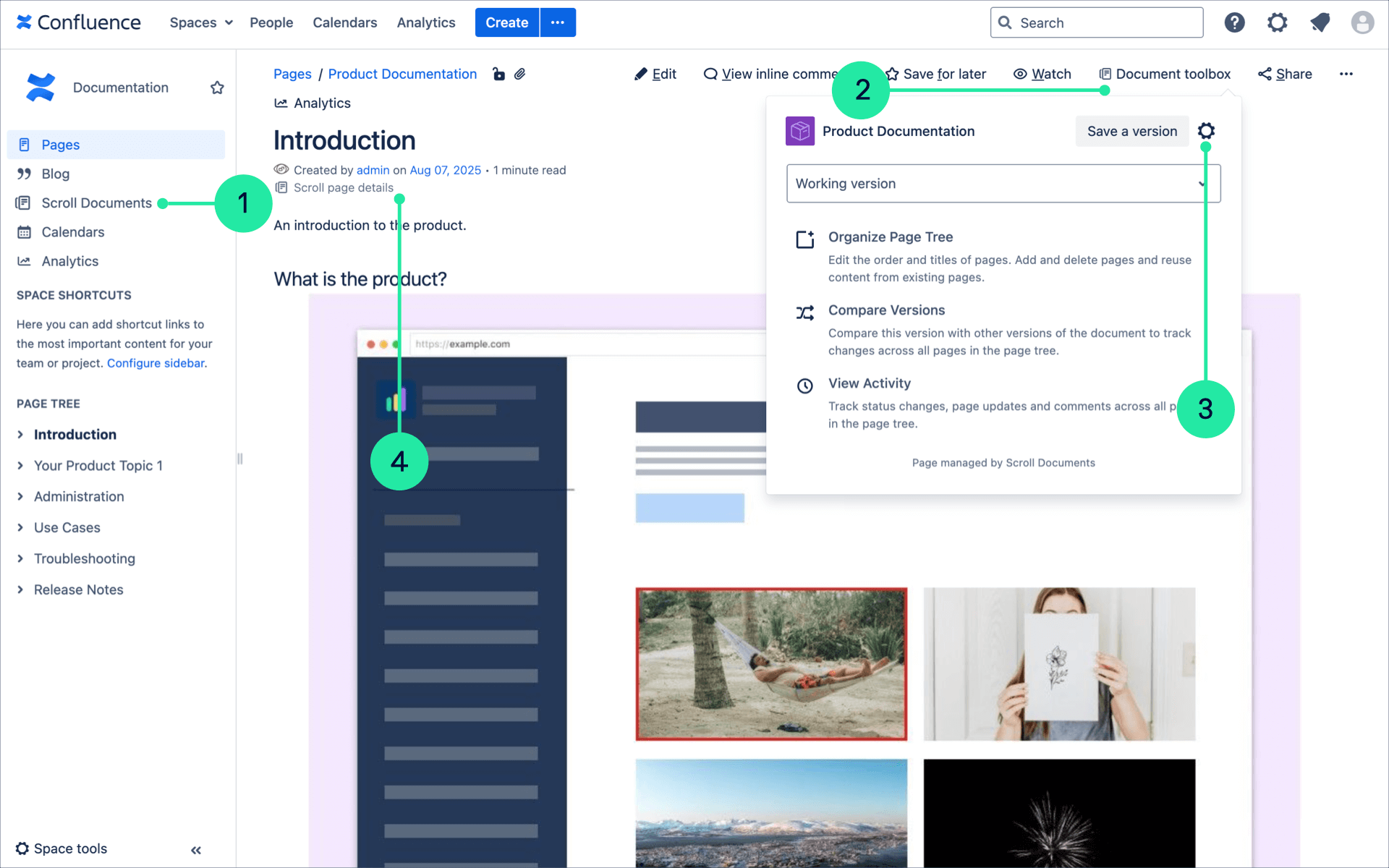
What Is the Document Library?
The Document Library is where you can get an overview of all documents you've created within a space. It also serves as a central place to create new documents.
You can learn more about the Document Library here: Document Library
What Are the Document Toolbox and Scroll Page Details?
The Document toolbox and Scroll page details contain entry points to the Document Manager. You can also use them to perform page-specific actions.
Learn more about these features, as well as the workflow status, here: On-Page Navigation
What Is the Document Manager?
The Document Manager is the central place for managing your document. This is where you create versions, translations, and variants, access reports and overviews, and troubleshoot potential issues.
In the Document Manager, you will find the following main sections:
-
Versions: Access the Versions list. Learn more: Version List
-
Troubleshooting:Take troubleshooting actions:
-
Perform health checks to check the state of your document.
-
Manage Page Groups to ensure all pages in corresponding versions are correctly mapped.
-
Add an existing page tree as a new version or translation to your document.
-
-
Settings: Access the Document Settings. Learn more: Document Settings