You must install the Scroll Exporter Extensions app to use the macros described in this guide.
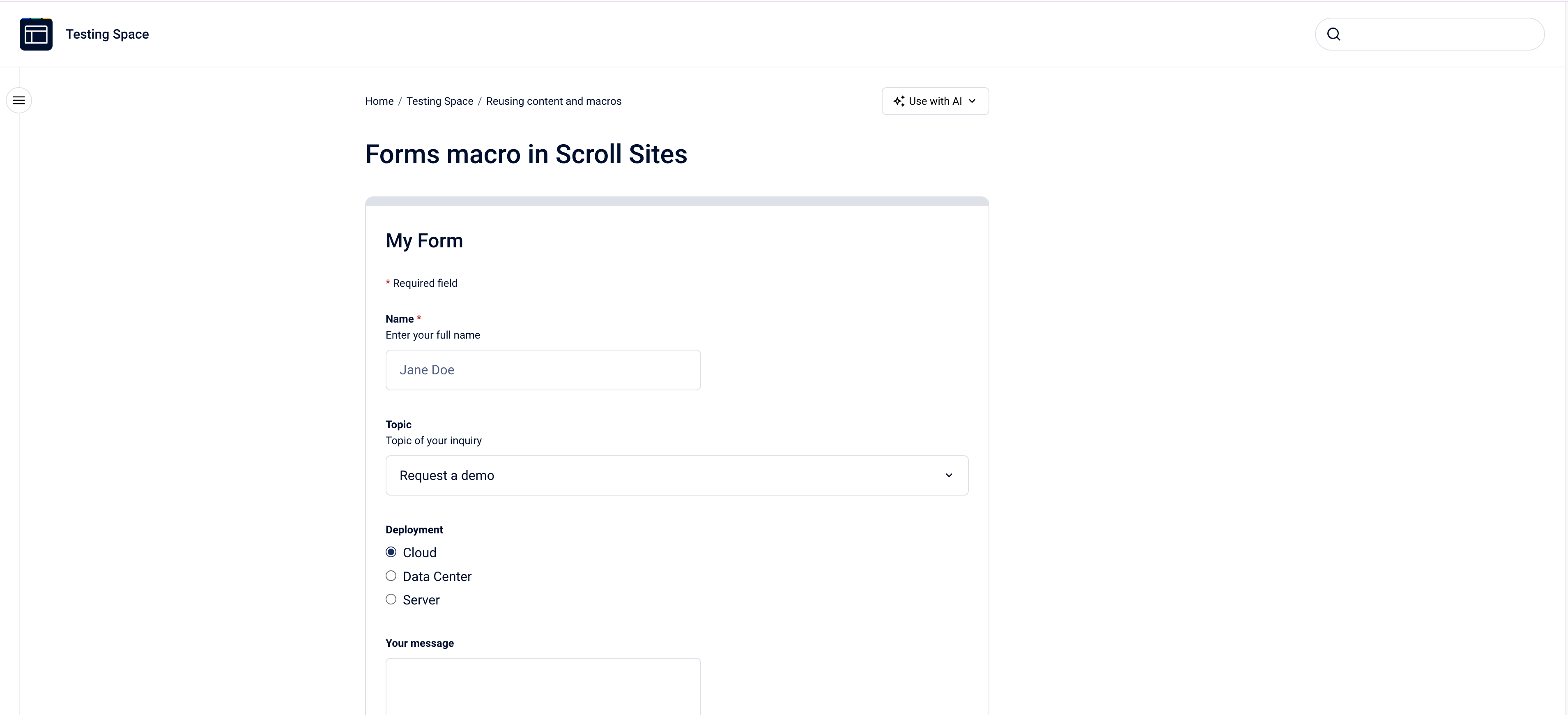
This macro adds Forms to your published pages with Scroll Sites, read more about it in Set Up Forms in Your Site.
Use the Scroll Form and form field macros to create interactive forms on your Confluence pages. Readers can fill out and submit feedback, requests, or inquiries directly from your published pages on Scroll Sites.
1. Add a Scroll Form Container
-
On your Confluence page, place your cursor where you want the form to appear.
-
Insert the Scroll Form macro.
(The Scroll Form macro is a container. On its own it doesn't display input fields—you need to add form field macros inside it.) -
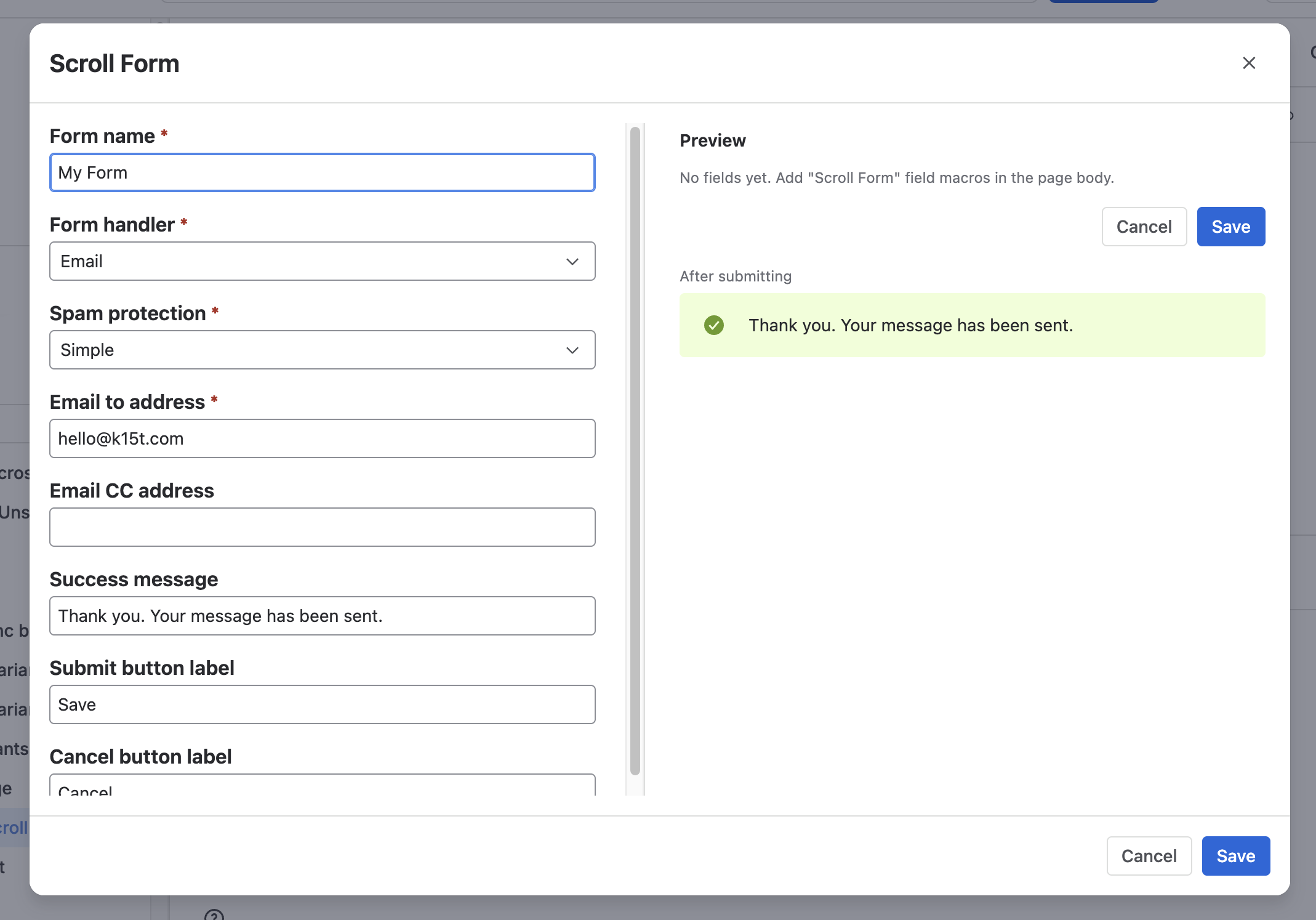
Configure the form parameters:
-
Form name (Required): An identifier for the form.
-
Form handler (Required): Method for processing submissions (e.g.,
email). -
Spam protection (Required): Enables anti-spam verification on submissions.
-
Email to address (Required): Recipient email address for form submissions.
-
Email CC address (Optional): Additional CC email addresses.
-
Success message (Optional): Message displayed to the user upon successful submission.
-
Submit button label (Optional): Custom text for the submission button (e.g., Send, Submit).
-
Cancel button label (Optional): Custom text for resetting or canceling the form.
-
2. Add Form Fields Inside the Form
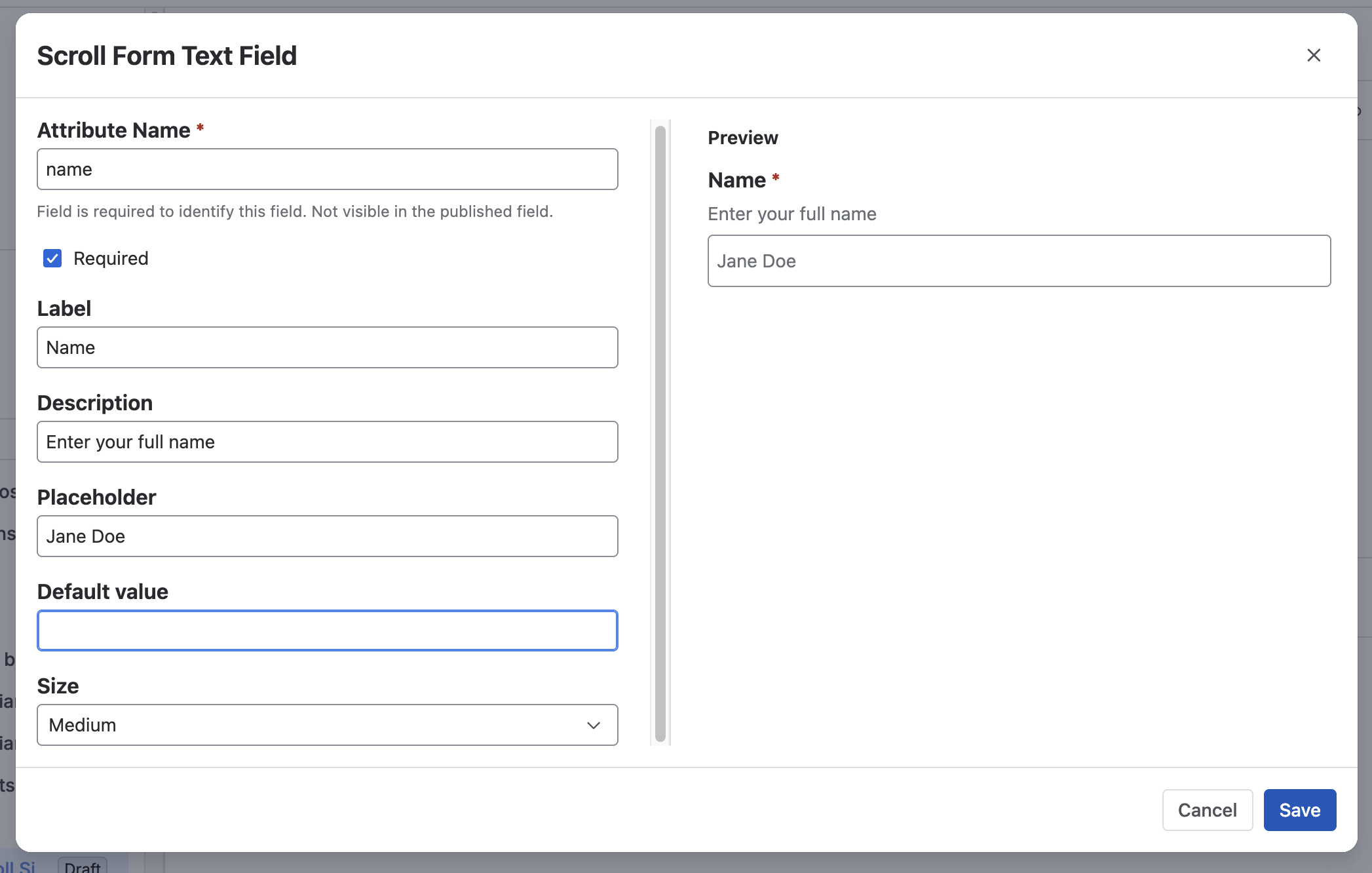
Place your cursor inside the Scroll Form macro container and insert any combination of the following field macros:
Available Field Macros
|
Macro |
Description |
Key Parameters |
|---|---|---|
|
Scroll Form Text Field |
Single-line text input |
Name (req), Label, Description, Placeholder, Default value, Size, Required |
|
Scroll Form Textarea |
Multi-line text input |
Name (req), Label, Description, Placeholder, Default value, Size, Required |
|
Scroll Form Dropdown |
Single-select dropdown list |
Name (req), Options (comma-separated, req), Label, Description, Default value |
|
Scroll Form Checkboxes Group |
Multi-option selectable checkboxes |
Name (req), Options (comma-separated, req), Label, Default value, Required |
|
Scroll Form Radio Buttons Group |
Single-choice radio buttons |
Name (req), Options (comma-separated, req), Label, Default value |
|
Scroll Form Select Multiple |
Multi-select dropdown list |
Name (req), Options (comma-separated, req), Label, Description, Default value |
|
Scroll Form Hidden Field |
Hidden input to submit static/preset metadata |
Name (req), Default value |
Result
-
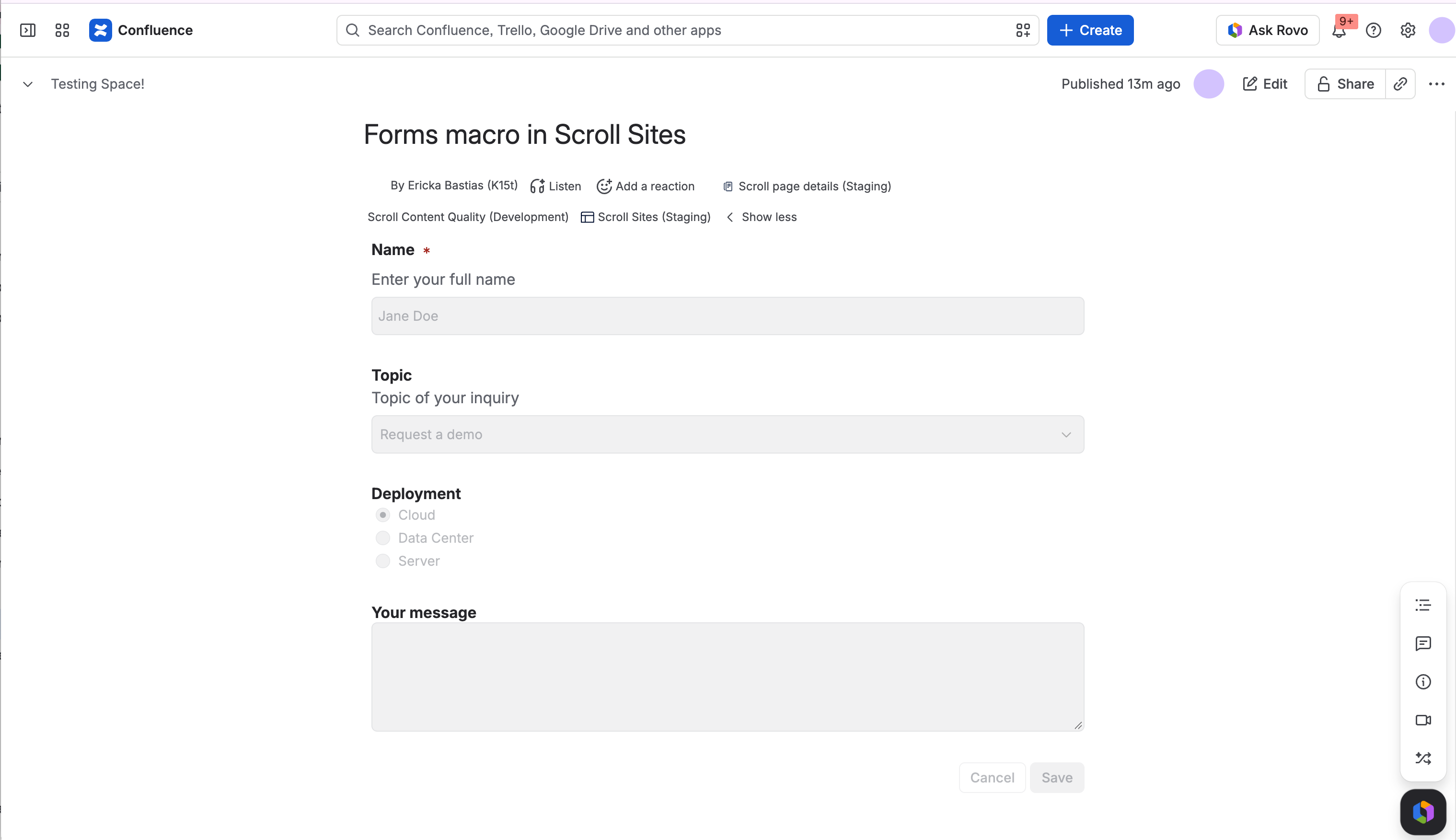
In Confluence: The form and its fields are rendered within the editor and page view for easy configuration and review.
-
On Scroll Sites / Viewport: The form renders as a fully interactive HTML form capable of collecting responses and sending them via the configured email handler.