
The Activity log is the section within the Document Manager where you can get an overview of the activities that have taken place within your document’s versions. An activity can include actions such as creating or updating a page.
To access the Activity log within the Document Manager:
-
Click Activity in the sidebar.
-
Or click View activity within the More page tree actions (•••) menu of a specific version.
What You Can Do in the Activity Log
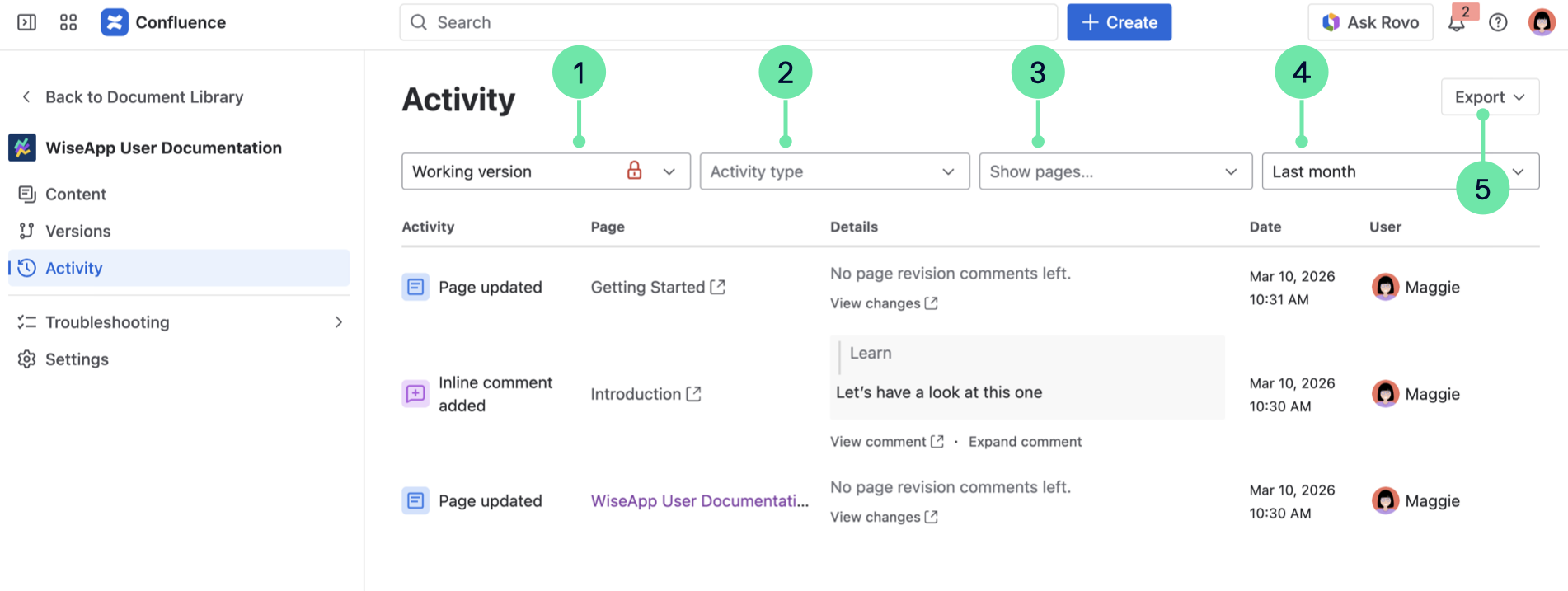
In the Activity log you can:
-
Filter by version
-
Filter by activity type
-
Filter by specific pages
-
Filter by time range
-
Export to the overview to CSV
To learn more about the Activity log, see: View Activity