
Communicate updates and news to your help center visitors with an announcement banner that appears on all pages.
The announcement banner is a customizable global element that appears at the top of every page in your Scroll site. It is an ideal way to highlight scheduled maintenance, new feature releases, or urgent system alerts.
Keep this in mind for time-critical announcements: if you change the message during an incident, visitors who dismissed the earlier version won't see the update until their next session.
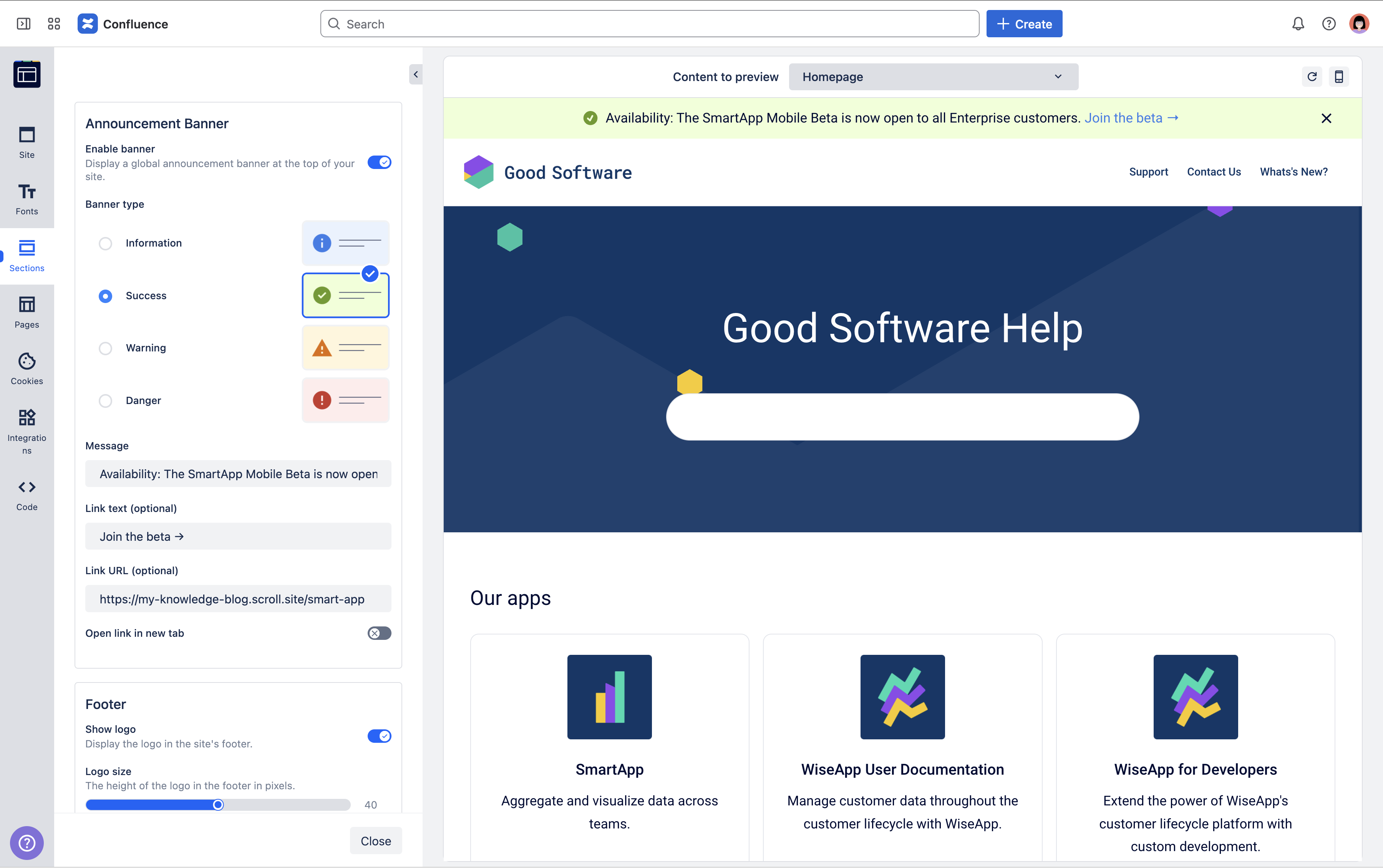
You can define the message, color scheme to match the nature of the update, and provide an optional link for more information.
Enable and Configure the Announcement Banner
You can set up and customize the announcement banner directly within the theme configurator.
-
In Scroll Sites, open the theme configurator under Site Settings > Look and feel > Customize theme.
The theme configurator page opens. -
In the sidebar, click the Sections tab.
-
In the Announcement Banner section, toggle Enable banner.
-
Enter your message’s text and select the banner type.
-
Click Save changes and close the theme configurator.
The Theme configurator page closes. -
Proceed to Site updates when you are ready to update your site.
Banner Settings
You can configure the banner settings to match your use case using the following options.
|
Setting |
Description |
|---|---|
|
Type |
Each option has pre-defined background and text colors to match the urgency of the message. |
|
Message |
Enter the text that you want to display in the banner. Keep it concise to ensure it is readable on mobile devices. |
|
Link text (optional) |
Enter the text that you want to apply the URL to.
|
|
Link URL (optional) |
Enter a full URL (starting with |
|
Open link in new tab |
Toggle to open the link in a new browser tab. |
Dismissible Banner
By default, once enabled, the announcement banner remains visible on every page to ensure all visitors see the update.
Site visitors can dismiss it for the current browser session. In other words, if a reader clicks the close icon (X), the banner will remain hidden until they start a new session or the browser is restarted.
Updating the message doesn't bring the banner back for visitors who have already dismissed it. They'll see the new message when they start a new browser session.